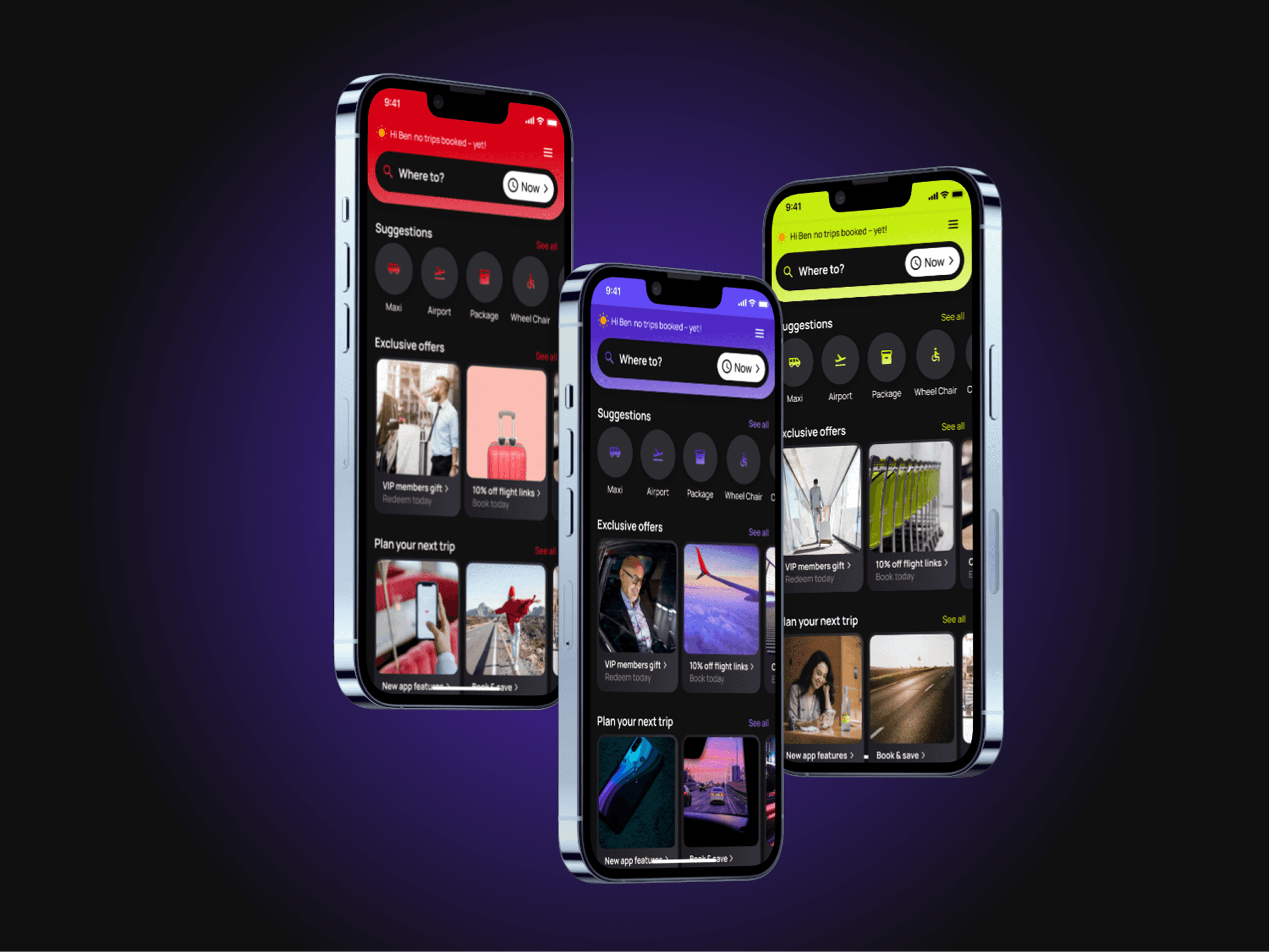
UI Revamp & Multi-Theme Branding for a Rideshare App

Overview
A rideshare booking app, originally built by developers using off-the-shelf UI component libraries, functioned but failed users and the business alike. I led an end-to-end redesign – improving usability and accessibility for riders, while building a multi-theme, white-label design system to help the business onboard new transport clients and scale faster.
The Problem
The app's UI was assembled without UX input, creating three compounding issues:
Poor usability – An outdated, cluttered interface made booking a ride frustrating rather than seamless.
No accessibility standards – Undefined visual hierarchy and small font sizes made it difficult for visually impaired riders to pre-book and pay with confidence.
No scalability – Without a themeable brand system, the business couldn't onboard new transport clients quickly – limiting growth and revenue.
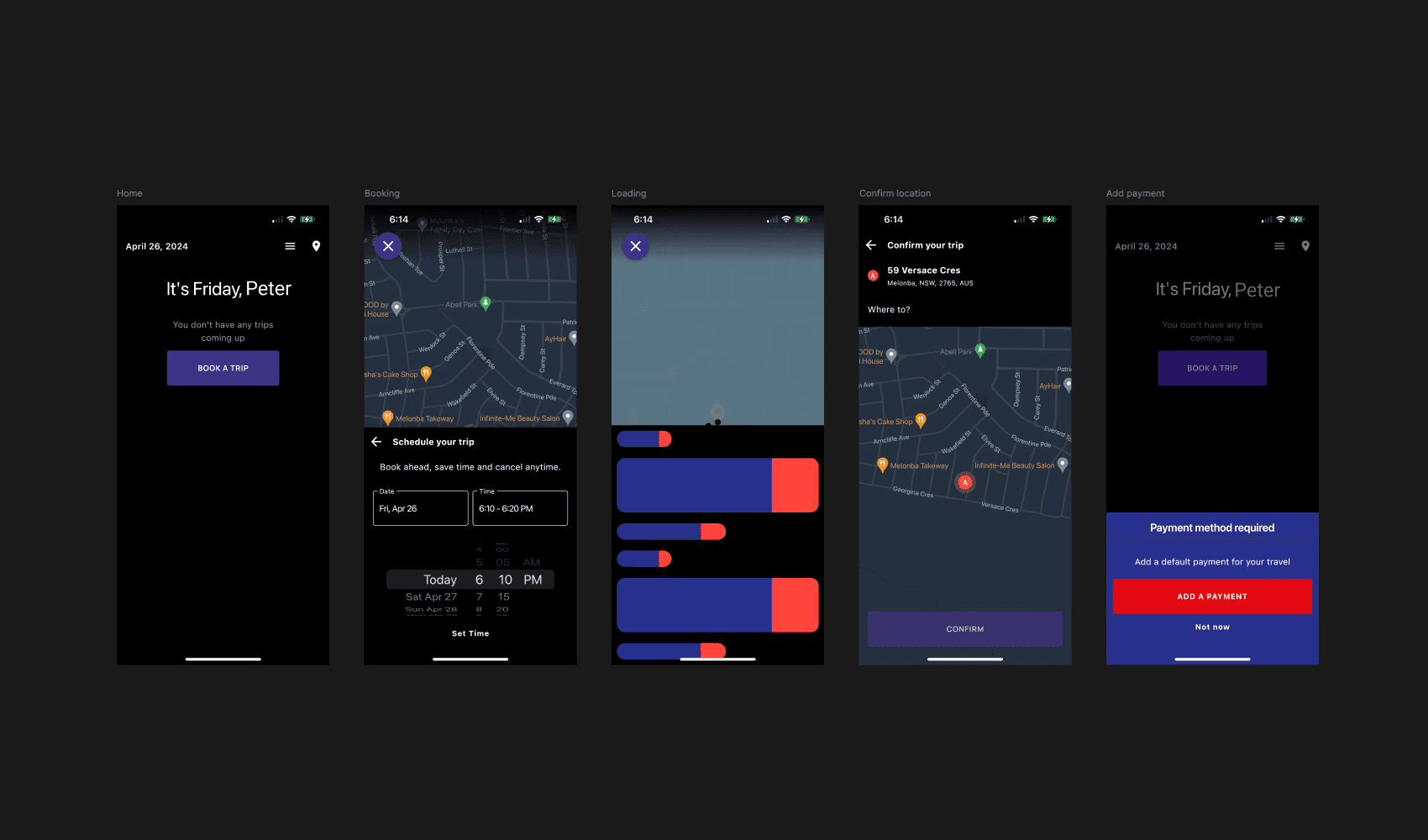
[Old app screens: Home, Booking, Loading, Confirm Location, Add Payment]
Small font sizes fell short of accessibility standards, and poor visual hierarchy increased cognitive load – creating friction throughout booking and costing taxi organisations lost conversions.
Research & Discovery
Before redesigning, I ran a discovery phase to understand where the existing app was failing users and the business.
Heuristic audit
I conducted a heuristic evaluation of the existing app against Nielsen's 10 usability heuristics and mobile interface interface best practices, flagging 20+ issues across visual hierarchy, touch target sizing, and colour contrast – several of which fell below accessibility compliance thresholds.
Accessibility testing
I conducted accessibility spot-checks by adjusting device font-scaling and screen contrast settings with 5 internal staff. These tests included screen magnification, maximum device font sizes and the use of screen readers. Sessions focused on the core booking flow – from selecting a destination through to payment – to identify where friction occurred.
Key finding: participants using maximum font-size settings couldn't read critical CTA and payment text, as the original UI wasn't built with variable text scaling in mind. This became the catalyst for the card-based, variable-height component approach used in the redesign.
Quality Assurance (QA) testing
During QA testing, I checked key screens against maximum device font-size settings to assess accessibility for visually impaired users, and found the standard font size broke legibility at these settings. To resolve this, I mocked key screens at larger font sizes and annotated card components with variable height, enabling developers to build for legible copy and CTAs at any font size.
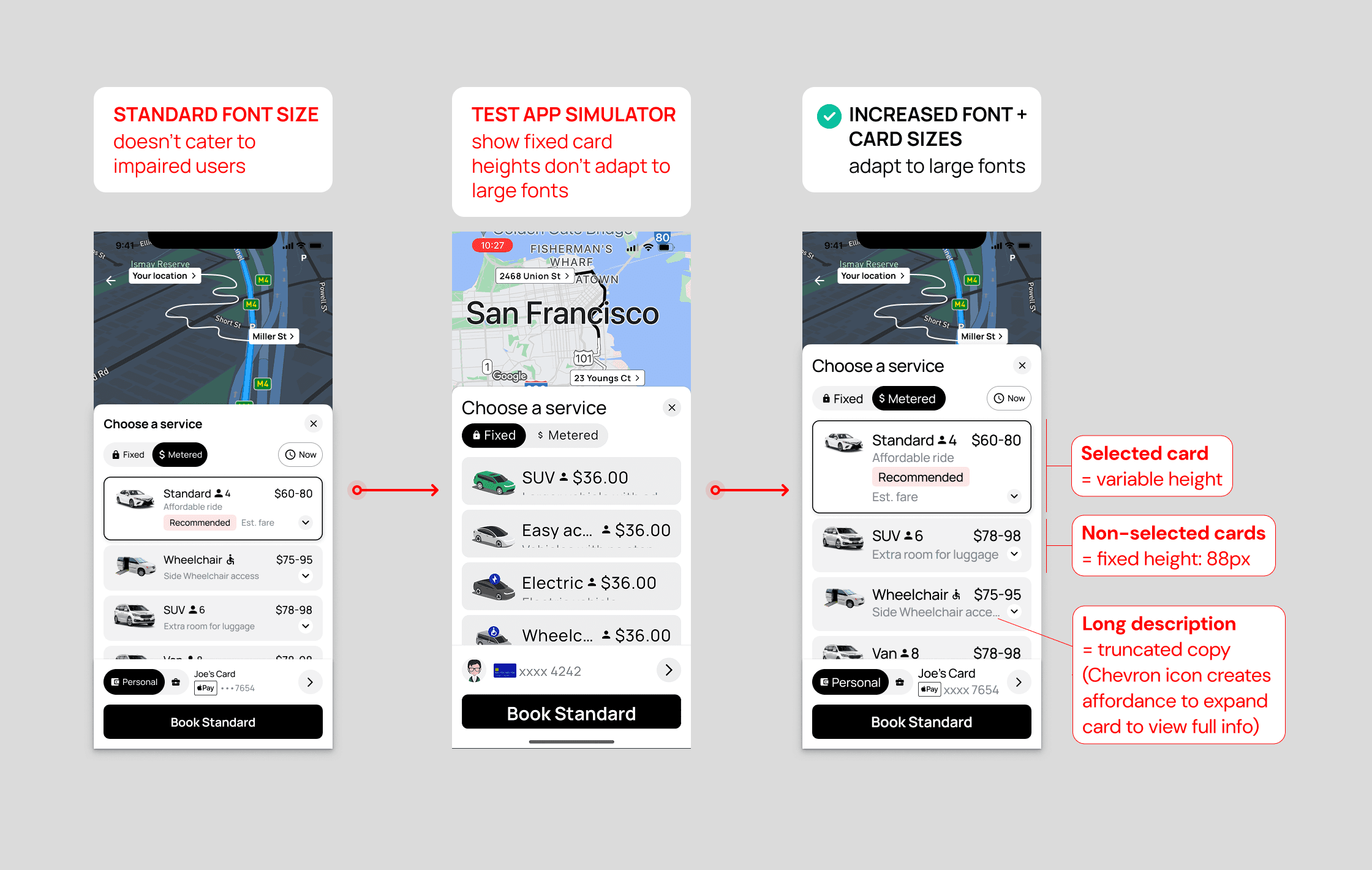
[Annotated screens: QA testing for the variable card height developer handover]
Comparative review
I reviewed 3-5 competitor ride-share apps, e.g. 13 Cabs, Uber, DiDi, GM Cabs, Waze to benchmark accessibility and visual hierarchy best practices, identifying patterns in CTA placement and colour contrast that informed the new design direction.
Stakeholder input
I ran a workshop with the CEO and the sales team to understand onboarding pain points for new transport clients, surfacing the need for a themeable, white-label system as a core business requirement – not just a design nice-to-have.
The Solution
1. Rebuilding the UI foundation
Applied core UI principles — consistent spacing, clear card-based layouts, and responsive design across small to large devices — with icons and colour used purposefully to signal function (e.g. buttons, actions).
2. Clarifying visual hierarchy
Defined primary, secondary, and tertiary CTAs, headings, and colour treatment so the most important action was always obvious — reducing time spent on payment screens and friction throughout the journey.
[Before/after video: home screen]
3. Designing for accessibility
Increased font sizes, improved colour contrast, and enlarged tap targets on booking and payment buttons for visually impaired users.
Testing revealed the initial font sizing didn’t account for riders using maximum font-size settings on their devices. I mocked key screens at larger font sizes and annotated card components with variable height for developer handover – ensuring copy and CTAs stayed legible at every setting.
4. Solving for business scalability
Built a multi-theme system using Material 3 Design Kit – updating Figma variables and applying Material 3 colour schemes to enable instant switching between light, dark, light monochrome, and dark monochrome modes, so new client brands could be applied seamlessly. Material 3 was chosen over a custom system to reduce build time and align with platform-native accessibility defaults.
[Video: multi-theme switching]
5. Adding a trust and feedback loop
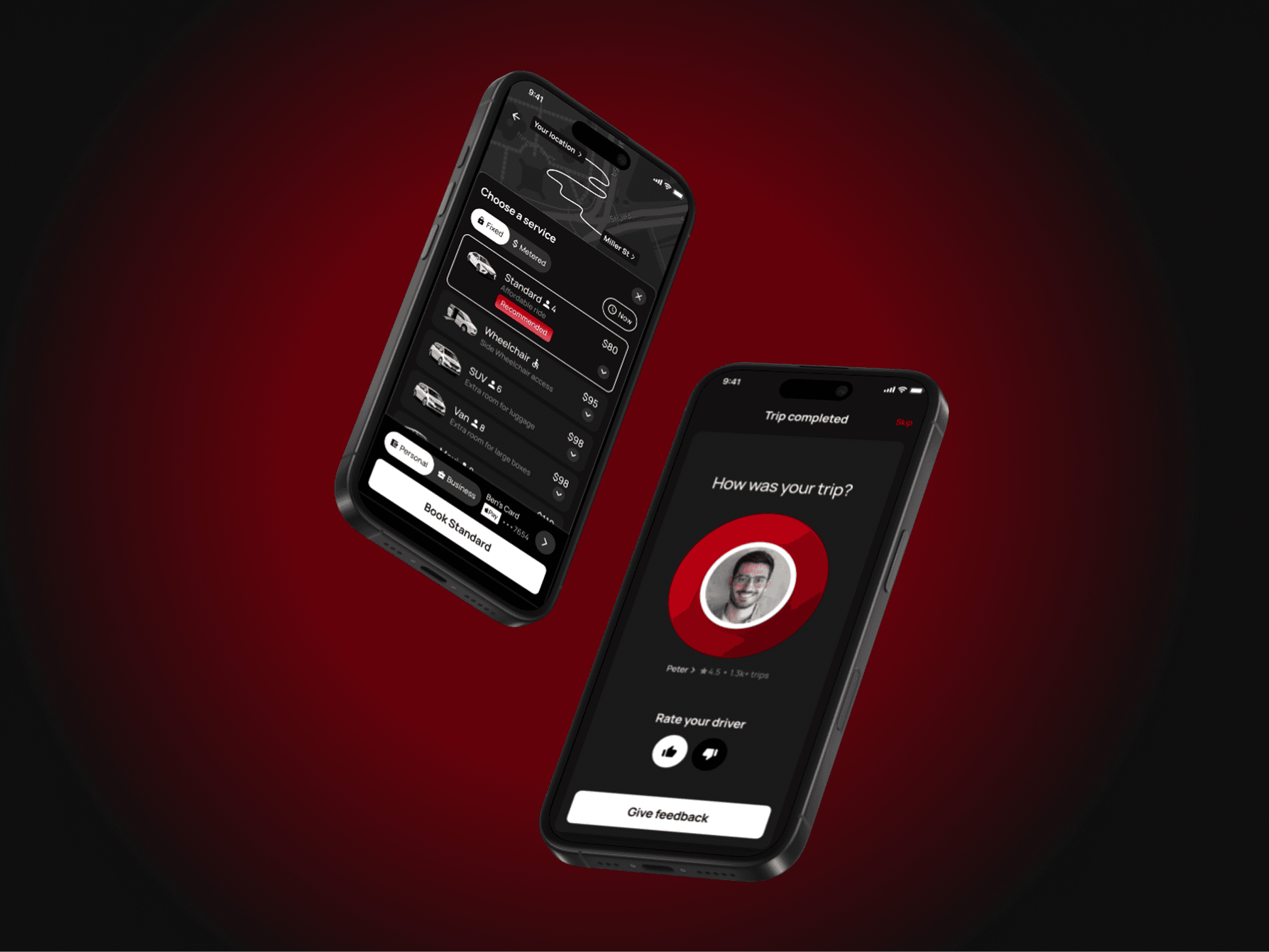
Introduced a “Rate Your Driver” screen at trip end, letting riders leave feedback – giving future riders confidence to book based on peer-rated drivers.
Results
100% UI redesign – completed in 3 months across the full app experience – onboarding, booking, and payment, supporting the company's tight timeframes and speed to market
10–20% reduction in payment time – driven by clearer visual hierarchy – translating to a 10–15% income increase for drivers and higher organisational revenue
Multi-theme, white-label system – now allows new client brands to be applied instantly, directly supporting the company's client acquisition and scaling goals