Onboarding Redesign for Stockbroking & Trading Customers

Overview
I led a full redesign of CMC's online application process, transforming a friction-heavy onboarding journey into a streamlined experience that reduced drop-off, cut support volume, and accelerated customer acquisition. Working closely with product, tech, legal, and compliance teams, I rebuilt the journey from research through to developer handover – delivering measurable gains within the first month of release.
The Problem
Research surfaced three core problems affecting the customer journey and business growth:
A high-effort application process – Early screens overwhelmed new customers with dense fields and unfamiliar stockbroking jargon, driving 30% drop-off and lost sales opportunities.
Strain on support teams – Over 50% of drop-offs generated support calls, putting pressure on a team already struggling to keep pace with daily customer queries.
Customers lost to competitors – Frustrated users abandoned the process to open accounts with competitors offering a smoother onboarding experience.
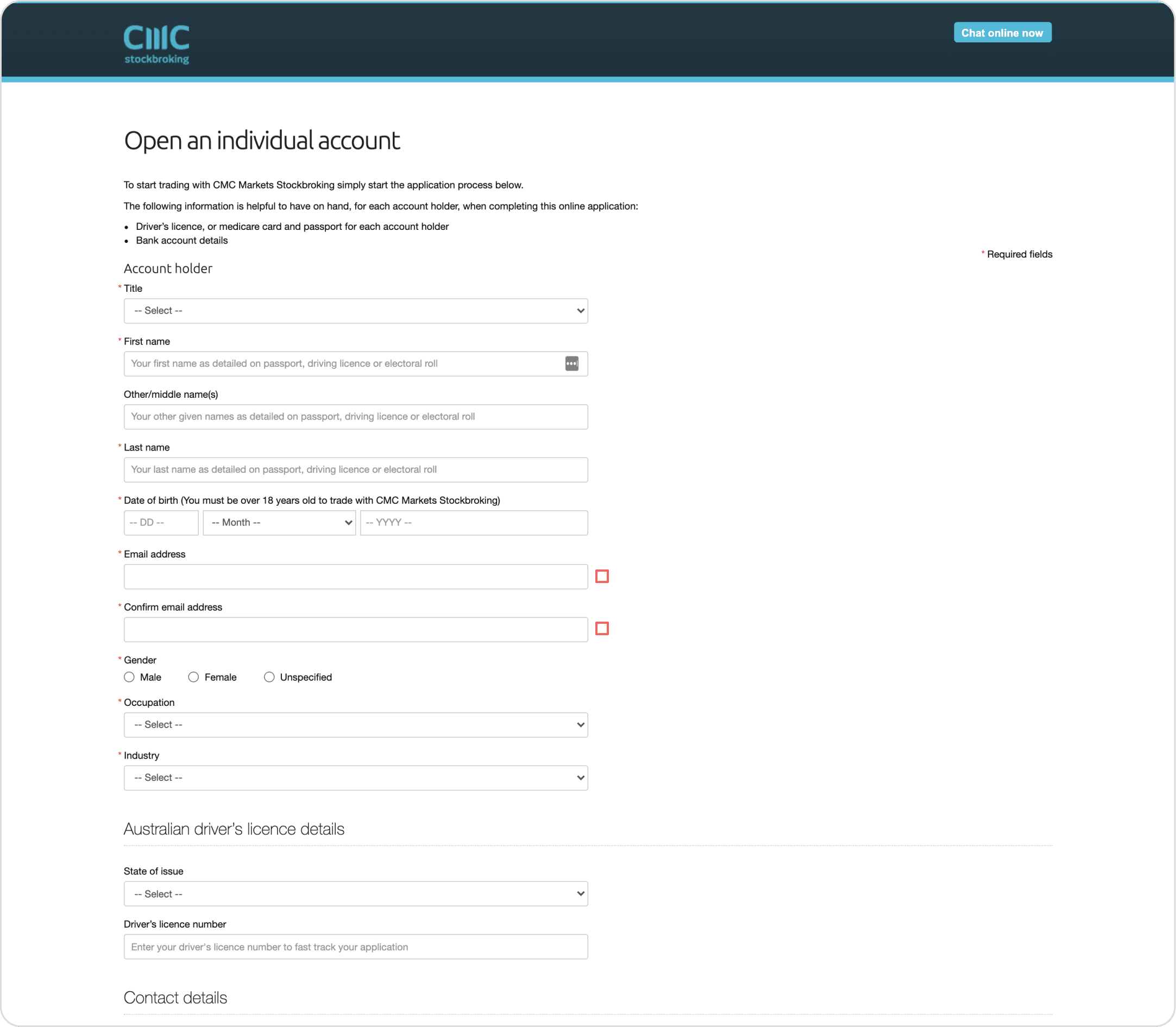
[Image: Old CMC application form – poor visual hierarchy, inconsistent CTAs and suggestion text, and accessibility gaps]
Research & Discovery
I combined qualitative and quantitative research methods to build a complete picture of where and why customers were dropping off:
User interviews
I interviewed 8 stakeholders across sales to surface first-hand customer complaints to turn them into actionable solutions. During these sessions, I observed high levels of frustration with an outdated process that took 20–30 minutes to complete, against a 5-minute expectation at the time (2021).
To identify constraints in the design and build, I interviewed stakeholders across technology, legal/compliance, marketing and finance eg. Certain jargon-heavy fields couldn't be removed due to regulatory requirements, so I focused on clarifying them with inline tooltips instead.
Journey mapping
Working with the product manager, I mapped the full user flow to pinpoint exactly where customers hit friction – particularly when missing ID documents or information – so we could design targeted fixes rather than a blanket overhaul.
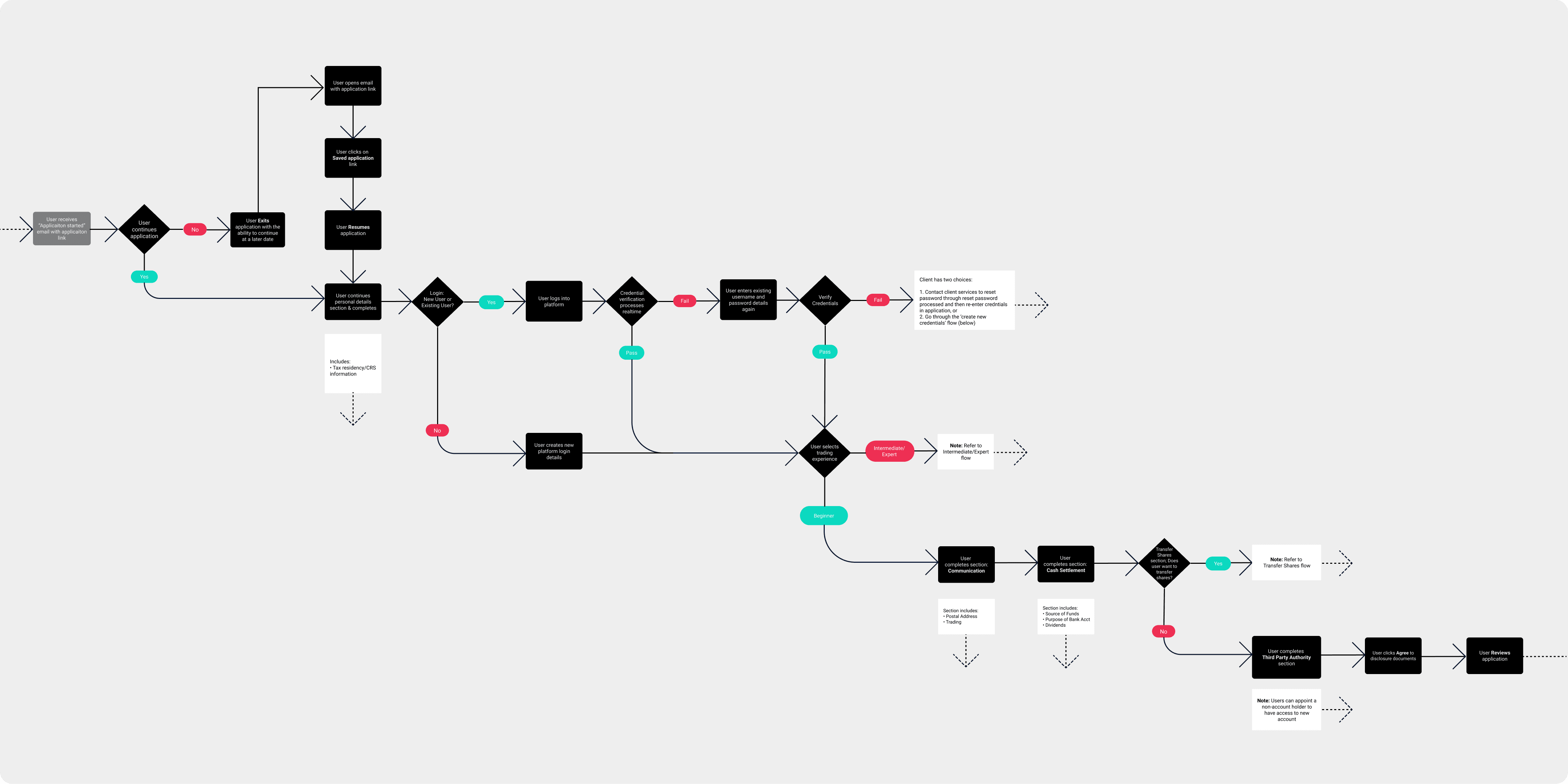
[Image: Cropped user flow, approx. one-third of the full journey]
Competitive benchmarking
I benchmarked our 10-step process against our main competitor, uncovering a standout insight: after step 2, our customers faced 18 fields, while competitors required just 3 steps at the same stage. This gave us a clear, high-impact target for simplification.
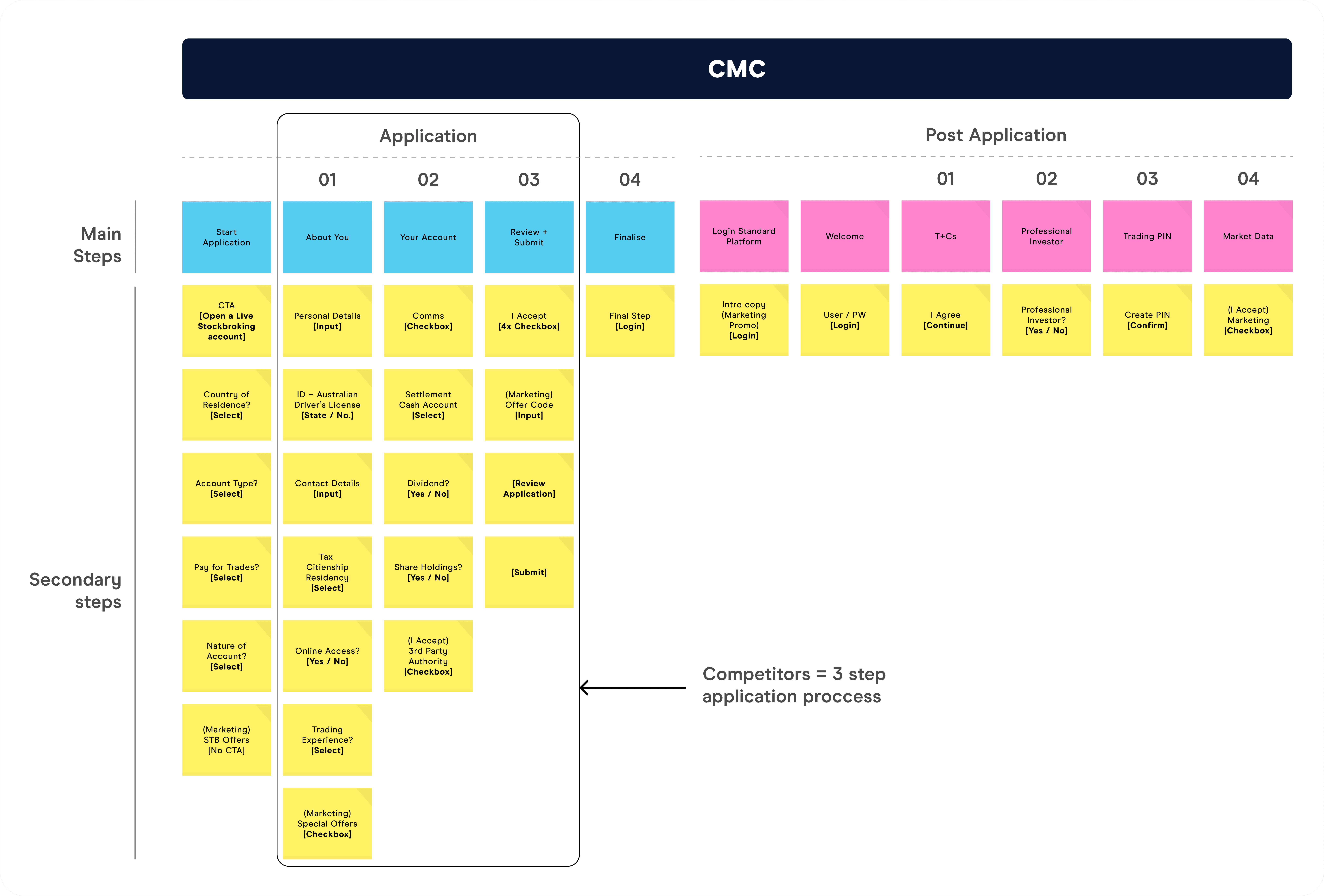
[Image: 10-step process comparison against competitor benchmark]
Affinity mapping
I synthesised interview responses into clear themes and shared them across teams, aligning the business around a shared set of priorities for the redesign.
The Solution
1. Reducing friction through UX/UI fundamentals
I built wireframes grounded in core UX/UI principles, tested them with real users, and iterated quickly – each round bringing the experience closer to a genuinely seamless journey.
2. Elevating the UI design
I analysed leading stockbroking and trading apps, (eg. CommSec, Stake, Superhero, Pocket), to identify best-in-class patterns, then prototyped new UI concepts, led stakeholder walkthroughs, and refined designs through multiple rounds of testing – building a UI that felt modern, trustworthy, and easy to complete.
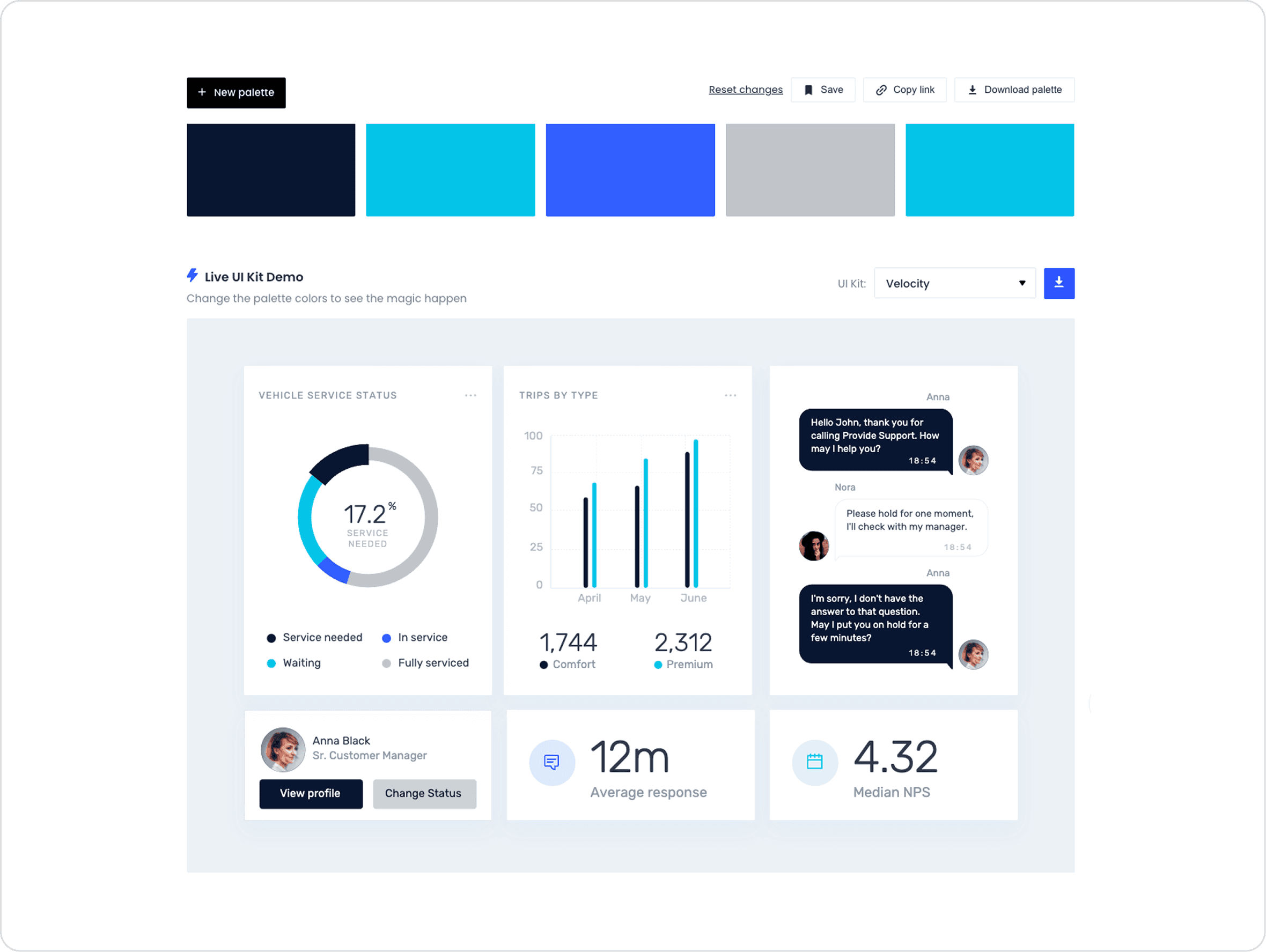
[Image: Colour palette exploration — retaining CMC's brand identity while improving visual hierarchy, brightness, and contrast to meet accessibility standards]
3. Setting up developers for a smooth build
I created a UI kit defining colour, typography, and components, mocked all desktop and mobile screens, and ran developer walkthroughs to gain their input to enable a seamless handover from design to code. We achieved an 80% design-to-build match, with the further 20% match completed in the next release along with minor bug fixes.
4. Sharpening the experience post-launch
I collected post-launch feedback and refined the application further ahead of the next release:
Added a progress bar, giving users a clear sense of momentum and confidence as they moved through the form
Converted grey cards to static text after testing showed users expected them to be clickable – removing a subtle point of confusion
Added a clearly visible privacy link in a high-contrast colour, closing a gap from the original design
Applied high-contrast brand colours to primary buttons, boosting accessibility and visibility
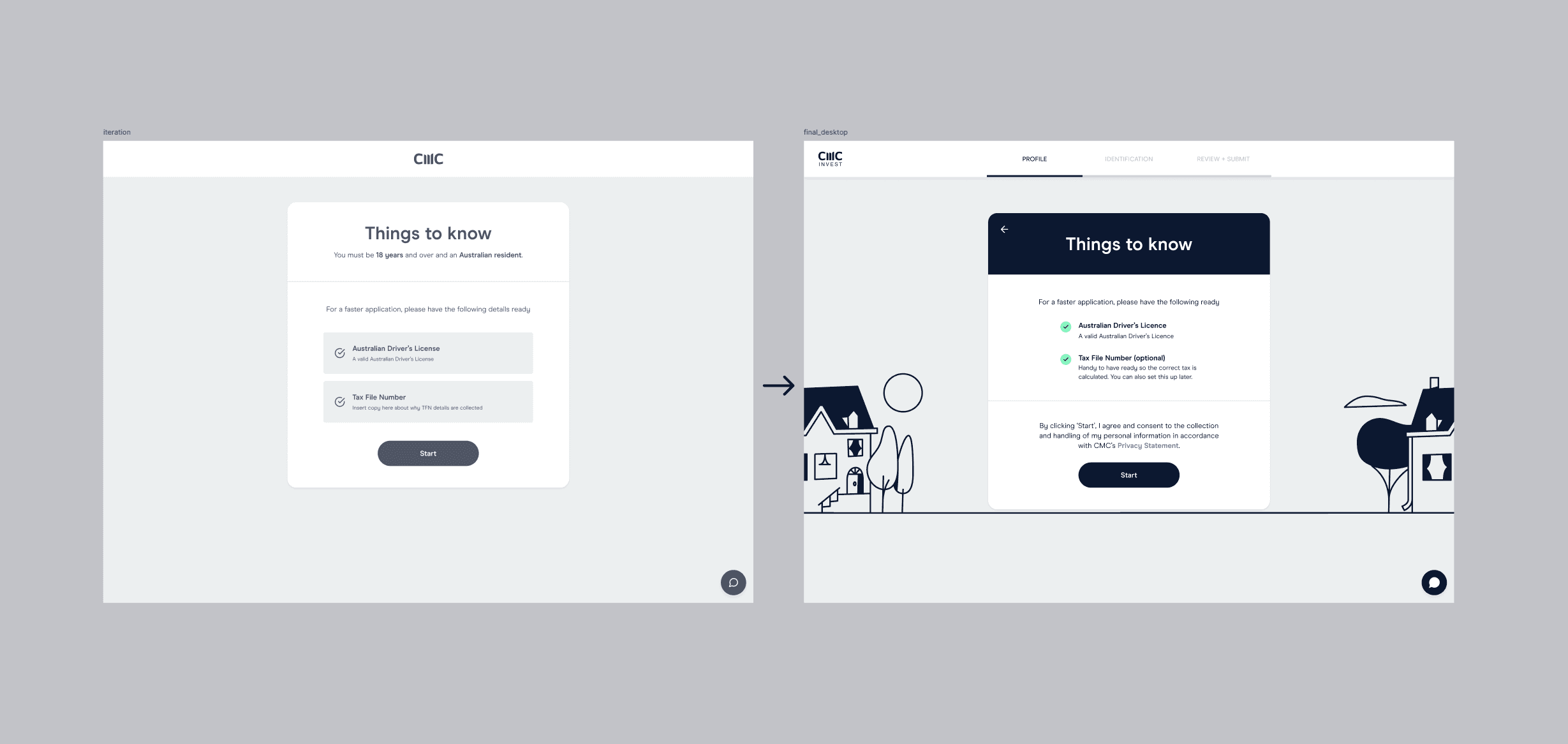
[Image: Wireframe to final UI evolution]
Results
The redesign delivered strong, measurable impact within the first month:
10–15% reduction in application drop-off, directly recovering customers who would previously have abandoned the process
20% decrease in customer support calls, freeing up team capacity while application approvals and acquisitions climbed
100% UI uplift across the application interface, helping new customers start trading and investing faster – and driving increased revenue for the business
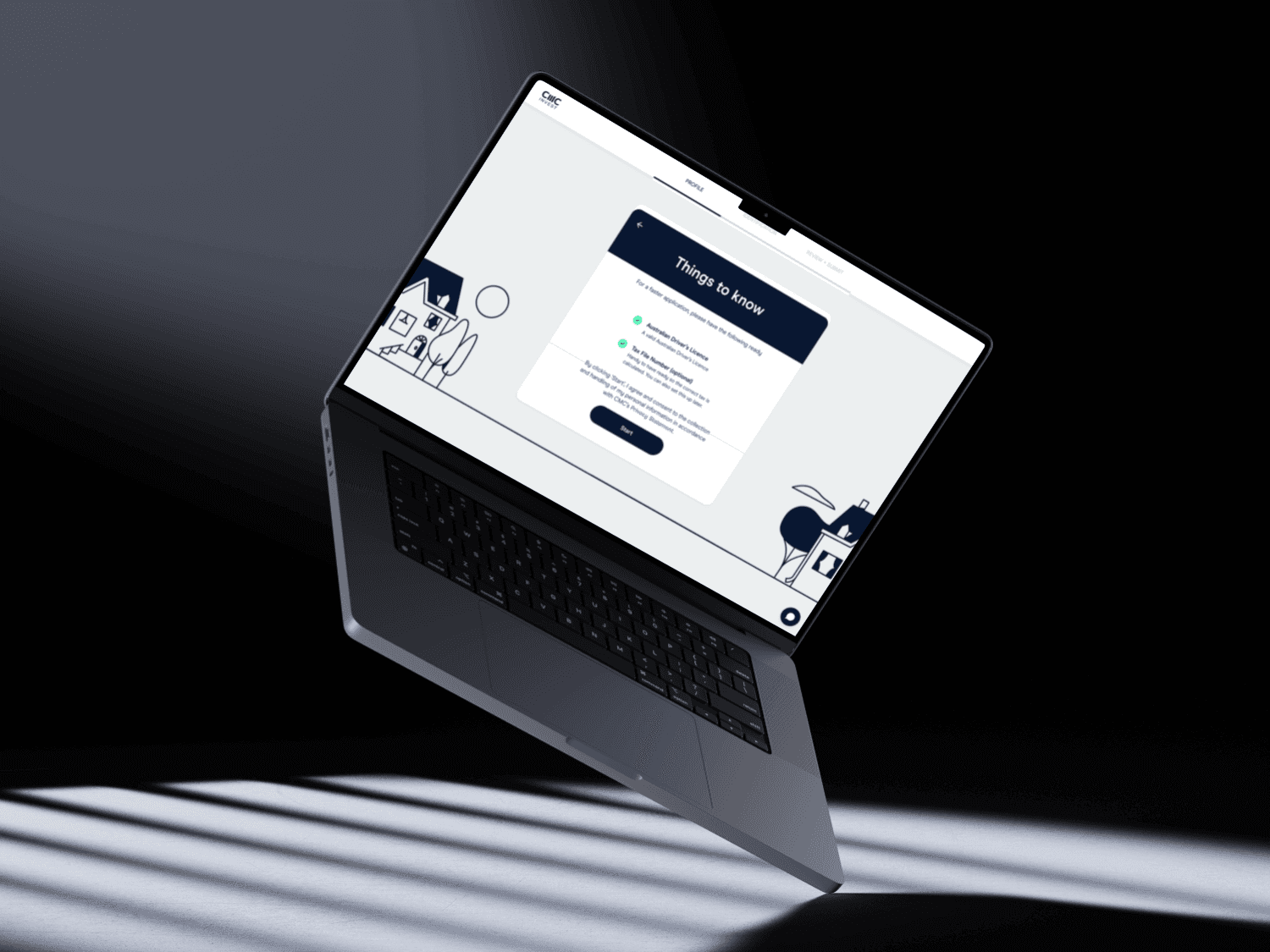
[Image: Final desktop UI design]


